

Hacker Screen
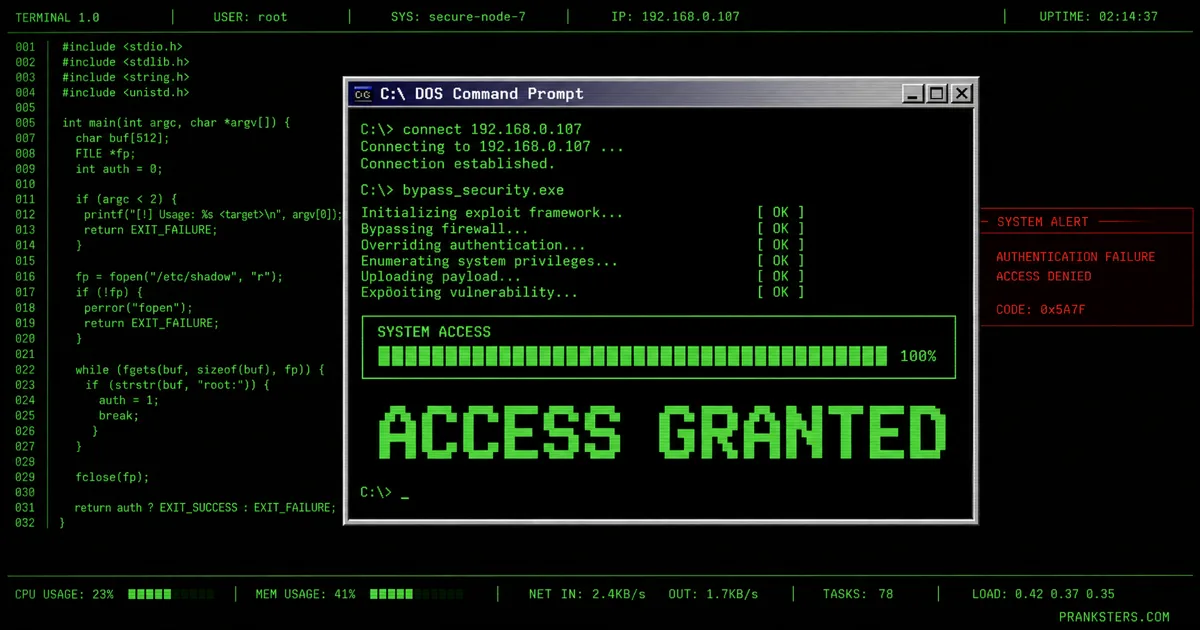
The hacker screen prank floods a black terminal with racing green code — the hacking scene from every film ever made. Lines type themselves out, firewalls get "bypassed", and ACCESS GRANTED lands on cue. It runs on autoplay: hit launch, hand the laptop over, and let it perform on its own. Of all the hacker prank websites doing this, the ones worth using are the ones that need no setup — no download, no account, just a hacker screen simulator that starts the second the page opens. Most hacker prank sites bury that behind a install button.
Want to be the one doing the typing? Hacker Typer is the hands-on version — the code appears under your fingers as you mash the keyboard, with ten scenarios, authored missions and performer hotkeys. Same look, opposite job: this page runs itself, that one you drive.
> ACCESS GRANTED
Press F11 for maximum realism. Tap or press Esc to exit.
For the best results, add this to the device's home screen — it then opens with no address bar, no tabs and no URL, so there is nothing left to give it away.
How to use the hacker screen prank
- Tap Launch Full-Screen Prank above (or press F11 once it's running).
- Leave the device where your victim will find it. It'll look completely real.
- When they panic, tap the screen or press Esc to reveal it was a joke.
What happens when you hit launch
The screen goes black and starts talking to itself. A few boot lines scroll past, then the code arrives — green, fast, and far too much of it to read, which is exactly the point. Progress bars fill for things that were never running. Ports get scanned. Somewhere in the middle a firewall is "bypassed", and ACCESS GRANTED lands in the clear like it means something.
None of it needs you. This is the autoplay one: launch it, put the laptop down, and it performs on its own until somebody presses a key. That is the whole difference between a hacker screen simulator and a typing toy — one you set running and walk away from, the other you have to sit there and drive.
Run it full screen, or it fools nobody
The single thing that gives the game away is browser furniture. A tab strip, an address bar and a bookmarks row across the top and it reads as a website, because it is one. Press F11 and all of that disappears, and the same page reads as software.
That is the entire trick to a convincing hacker prank full screen: nothing above the black. On a Mac use Ctrl + Cmd + F. On a phone, open it and add it to the home screen first — launched from there it opens without any browser chrome at all, which is the closest thing to an app you can get without installing one.
Four setups that actually land
Leave it running and walk off. The strongest version needs no performance at all. Open it full screen on their laptop, go and make a drink, and let them find it. Nobody suspects a joke when there is nobody standing there waiting for a reaction.
Over the shoulder. Have it running when they walk past, and say nothing. Let them ask.
The second monitor. On a spare screen at a desk it sits in peripheral vision for a good while before anyone properly looks at it, which makes the double-take much better.
The photo. Half of a good hacker prank on friends never gets seen live — it gets photographed and dropped into the group chat with no explanation. Full screen, no browser bar, sent without a caption.
When to leave it well alone
Some targets turn a joke into a problem, and it is worth being honest about them.
Work machines are the big one. Anyone in IT, security or finance is trained to escalate exactly this, and a five-second gag can become an incident report and a very awkward morning. Same for anyone whose job involves handling other people's money or data.
The other one is people who will genuinely believe it. A relative who already worries about being scammed does not find this funny, they find it frightening, and you spend the next hour undoing it. The best pranks are the ones the target laughs at afterwards. If you cannot picture that bit, pick a different target.
Spotting a hacker prank being run on you
If you are on the receiving end, it takes about three seconds to prove.
Type something. A real terminal responds to input; a hacker screen prank carries on regardless because the text is on a timer, not a keyboard. Press Esc or F11 — if the browser furniture reappears, you are looking at a web page. Watch it for a minute and the code loops, because there is only so much of it.
The giveaway before any of that is the look. Actual system output is dull, mixed-case and mostly white on grey. Nothing outside a film is bright green on pure black.
Why a browser simulator beats the ones you download
Plenty of hacker prank sites want you to install something first, and that is a bad trade for a joke lasting thirty seconds.
Nothing here installs. It runs in the tab, so it works on a borrowed laptop, a school computer or a machine you have no business installing software on. There is nothing for antivirus to flag, nothing to uninstall afterwards, and no account to make. Closing the tab is the entire cleanup.
It also means you can hand someone a link. A download cannot travel through a group chat; a hacker prank website can, and the person on the other end is running it two seconds later.
For laughs only. Nothing here installs, downloads or damages anything — it's all harmless CSS/JS in the browser. It's a staple of April Fools' Day pranks and works any day of the year. Just keep it kind — see what makes a good prank.
Frequently asked questions
What is a hacker screen prank?
A hacker screen prank is a full-screen animation of a terminal filling with code, built to look like a live intrusion in progress. Nothing is being accessed — it's scripted text being drawn to the screen. Launch it, press F11, and the browser chrome disappears so there's nothing left on screen to give it away.
What's the difference between this and Hacker Typer?
This page is hands-off: the code types itself, so you can set it running and walk away or hand the device straight over. Hacker Typer is hands-on — nothing happens until you press keys, and it adds ten scenarios, authored missions and performer hotkeys including an "Access Granted" window you trigger on the beat. Use this one to plant on someone's screen; use that one when you're the one performing.
Is hacker screen real hacking?
No. Nothing is scanned, accessed, connected to or executed. The code is pre-written text being animated, the same way a film prop is — it cannot touch your files, your network, or anyone else's.
How do you make it look convincing?
Press F11 first — a visible address bar is the single biggest giveaway. Dim the room, let the terminal run for a few seconds before anyone looks properly, and time your reveal to the "ACCESS GRANTED" beat rather than the start. Our fake hacking pranks guide walks through the full setup.
Is hacker screen unblocked at school or work?
Usually. It's an ordinary web page running entirely in your browser with nothing to download, so it typically loads even on networks that block games and streaming. Policies differ, though, and IT teams rarely find fake intrusion screens funny — read the room before running it on company kit.
Can I get in trouble for using it?
The page itself is harmless and legal. Trouble comes from how it's used: screenshotting it to convince someone you've genuinely breached their accounts, using it to threaten or extort, or leaving it running on work machines where security staff may treat it as a real incident. Keep it to people who'll laugh, and reveal it quickly.
Does the hacker screen work on a phone?
Yes — it fills the screen on both iOS and Android, and installing it to the home screen strips the address bar entirely so it opens like a real app. The effect still lands hardest on a laptop, where a big dark terminal reads as "workstation" rather than "someone messing about on their phone".
How do I stop the hacker screen?
Tap the screen or press Esc. If you pressed F11 for fullscreen, press F11 again to bring the browser back.
More prank pages like this
Hacker Typer
Launch prank →VIRUS
DETECTED
Fake Virus Alert
Launch prank →Fake Virus Scan
Launch prank →YOUR FILES ARE
ENCRYPTED
Fake Ransomware Screen
Launch prank →10 11 01 10
11 00 10 11