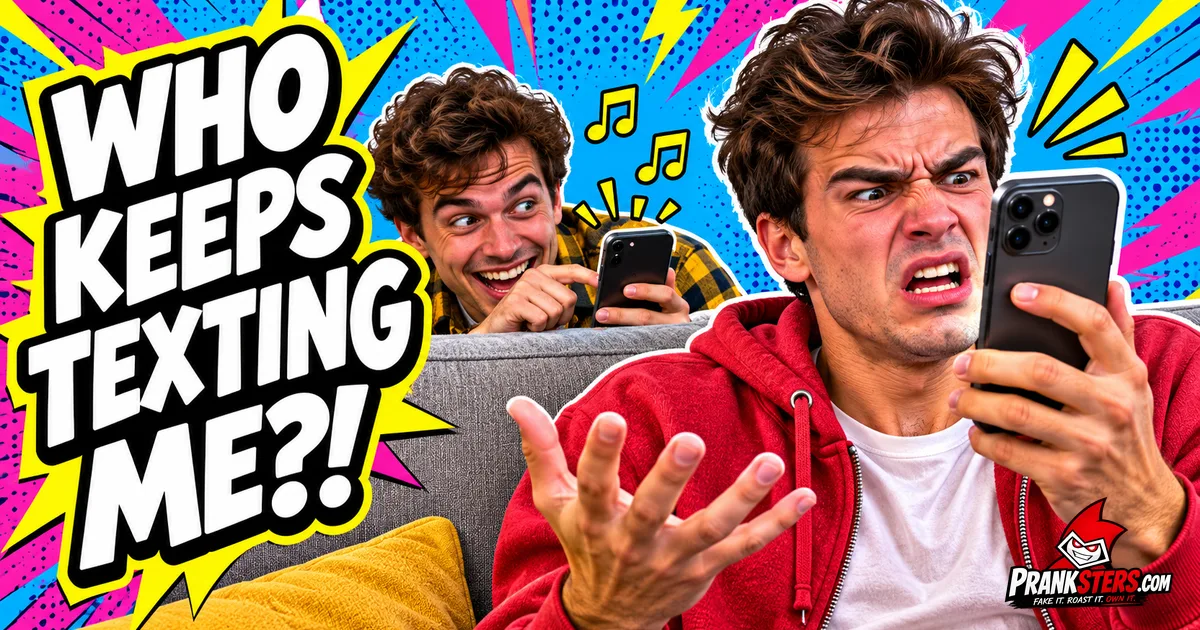
The notification sound prank is the quietest prank you can pull: you play a text tone or app ping from a hidden phone, and your target keeps grabbing their own phone to find nothing there. No setup, no mess, nothing to clean up. All it takes is a sound they know by heart and the patience to wait between dings. Below is how to do it properly, which sounds work best, how often to play them, and the funniest versions people have filmed.
What Is the Notification Sound Prank?
You pick the alert sound your target hears all day, usually their text tone or a WhatsApp, Snapchat or Messenger ping, and you play it near them from a phone, speaker or laptop they cannot see. Their hand goes to their pocket before their brain catches up. They unlock the phone, see no new messages, frown, and put it down. A few minutes later it dings again.
The joke is the reflex. Everyone checks their phone when it pings, so the prank works on almost anyone, and it gets funnier every time they check. It started as a viral video in 2014, when a guy imitated Facebook and phone notification sounds with his mouth while his friend kept checking his phone, and it has been a TikTok and YouTube Shorts staple ever since.
What You Need
- A sound they know. Their own text tone is best. If you do not know it, the default iPhone text ding or the default Samsung notification is a safe bet for most people.
- Something to play it from. A second phone, a small Bluetooth speaker, a laptop or a tablet. Our notification sounds board plays every sound free in the browser, with nothing to install.
- A hiding spot within a few feet of them. Under a couch cushion, behind a pillow, in a bag, under a desk or on a shelf behind them.
- A straight face. This prank lives or dies on you not laughing.
How to Do the Notification Sound Prank
- Find out which phone and alert sound they use. Listen the next time they get a real message. An iPhone user with the default text tone, a Samsung user, a WhatsApp group-chat addict: match the sound to the person.
- Pick the sound and test it first. Open the notification sounds board, find the closest match and play it once, away from them, to check the volume.
- Set the volume to "phone in a pocket" level. It should sound like it came from their own phone, not from a speaker across the room. Too loud and they will look for the source instead of checking their phone.
- Hide the device close to them. The sound has to come from roughly where their phone is. If their phone is on the table, hide yours under the table. If it is in their pocket, play it from the seat next to them.
- Wait until they are settled. The best moments are when they are focused: watching a show, gaming, reading, working or halfway through a story.
- Play the first ding and look busy. Do not watch them. Look at the TV, your food or your own phone.
- Space out the next dings. Wait a few minutes between them and never keep a regular rhythm (see the timing guide below).
- Reveal it before it gets old. When they shake the phone, restart it or ask the room if anyone else heard that, it is time to come clean.
The Best Notification Sounds for the Prank
The right sound depends on who you are pranking. All of these are on our notification sounds board and play free.
- iPhone notification: the classic text ding. Works on any iPhone user, and on Android users who wish they had one.
- Samsung notification: the default Galaxy chime, for Android friends.
- WhatsApp notification: perfect for family-group-chat parents who check every message.
- Snapchat notification: the one teenagers react to fastest.
- Messenger notification: for anyone who still lives on Facebook.
- Discord notification: the best choice for gamers mid-match. They will alt-tab every time.
- Email notification: the office version. Nobody can ignore a work email ping.
- Phone vibrate: a buzz on a hard table is sneakier than any tone, because people feel for their pocket.
- "You got a message" and "Check your phone": voice lines for the reveal, once they have figured it out.
For the full mix of meme sounds to finish the prank with, open the soundboard.
How Often to Play the Sound
Timing is what turns one confused look into a five-minute bit. Play it too often and they figure it out. Play it too rarely and they forget it happened.
- First ding: once they are settled and not holding their phone.
- Second ding: two to four minutes later, while they are still wondering about the first.
- Third and fourth: vary the gap, sometimes ninety seconds, sometimes five minutes. A random rhythm is what makes it believable.
- Switch sounds: after a few dings, switch from the text tone to a WhatsApp or Snapchat ping. Now it looks like their phone is getting messages from everywhere and showing none of them.
- Stop at the peak: when they restart the phone or ask out loud who keeps texting them, that is your reveal.
Ways to Play It
- A second phone in your hand: the easiest version. Keep the notification sounds board open, hold your phone low, and tap when they are not looking.
- A hidden Bluetooth speaker: pair a small speaker to your phone and hide it right next to where their phone sits. You can be across the room, which makes you look completely innocent.
- An old phone left behind: hide a spare phone under a cushion or in a drawer and play the sound from it. The Pranksters app has a timer, so a sound can play after you put the phone down and walk away.
- A laptop at the office: play an email or chat ping quietly from your laptop while a coworker sits beside you. Keep it short and never during a real meeting.
- With your mouth: the original 2014 version. Whistle or hum the ping under your breath, or tap a glass with a spoon. It takes practice, and it is the funniest version to film.
The Funniest Notification Sound Prank Videos
1. Andrey Grechka: hiding in the kitchen
He hides on the kitchen floor below the counter while she stands right above him, playing message sounds she cannot place. The title tells you to wait for the end, and it is worth it. Credit: Andrey Grechka.
2. Manfred Hanberg: the original notification trolling
The 2014 Vine that started it all: phone notification sounds imitated out loud, no speaker needed, and a friend on the couch who keeps falling for it. Credit: Manfred Hanberg.
3. Cadel and Mia: the notification prank on a girlfriend
He sets up under the kitchen island while she works at her laptop above him, and the clip is all about the moment she finds out. Credit: Cadel and Mia.
4. LloydAndMatt: the fake notification prank
Two roommates, one quiet apartment and a fake notification sound. It is the simplest setup on this list and the easiest one to copy at home. Credit: LloydAndMatt.
How to Reveal the Prank
Reveal it while they are still laughing at themselves, not after they have started worrying. A few lines that work:
- Play the ding one last time with your phone held up in plain sight.
- "Did you get that one too?"
- "You have one new notification: you got pranked."
- Play the "Check your phone" voice line from the notification sounds board.
Then show them the sound you used. Half the time they will want to pull it on someone else straight away.
When to Skip the Notification Sound Prank
The prank is harmless because the person loses nothing but a few seconds. Keep it that way:
- Skip it when they are waiting on a real call or message, like news from a hospital, a job, a babysitter or a sick relative. A fake ding is cruel then.
- Never while they are driving. Nobody should be checking a phone at the wheel because of you.
- Never use emergency alert, alarm, siren or medical device sounds. Those cause real panic, and people react to them for a reason.
- Skip the endless loop. Ten dings in ten seconds is noise, not a prank, and it gives the game away instantly.
- Stop if they get stressed. Someone who gets anxious about missed messages will not find it funny, so reveal it early and laugh together.
- Leave their phone settings alone unless it is your own family and they would laugh about it. Changing someone's text tone without asking is a different prank with a longer clean-up.
Where to Go Next
Play every sound free on the notification sounds board, mix in meme sounds from the soundboard, or try more phone pranks and text pranks. For quick wins that need no setup, see easy pranks.