
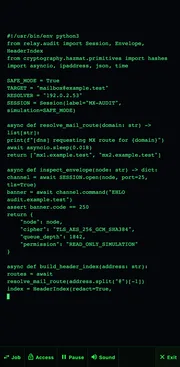

Hacker Typer
Hacker Typer is a free, harmless prank tool that fills your screen with realistic-looking code as you randomly tap the keyboard — so you instantly look like a movie hacker. It does not hack anything or touch any real system. Just open it, start typing, and watch the "code" race across a green-on-black terminal. It is a hacker typer simulator in the plainest sense: you drive it, and it performs.
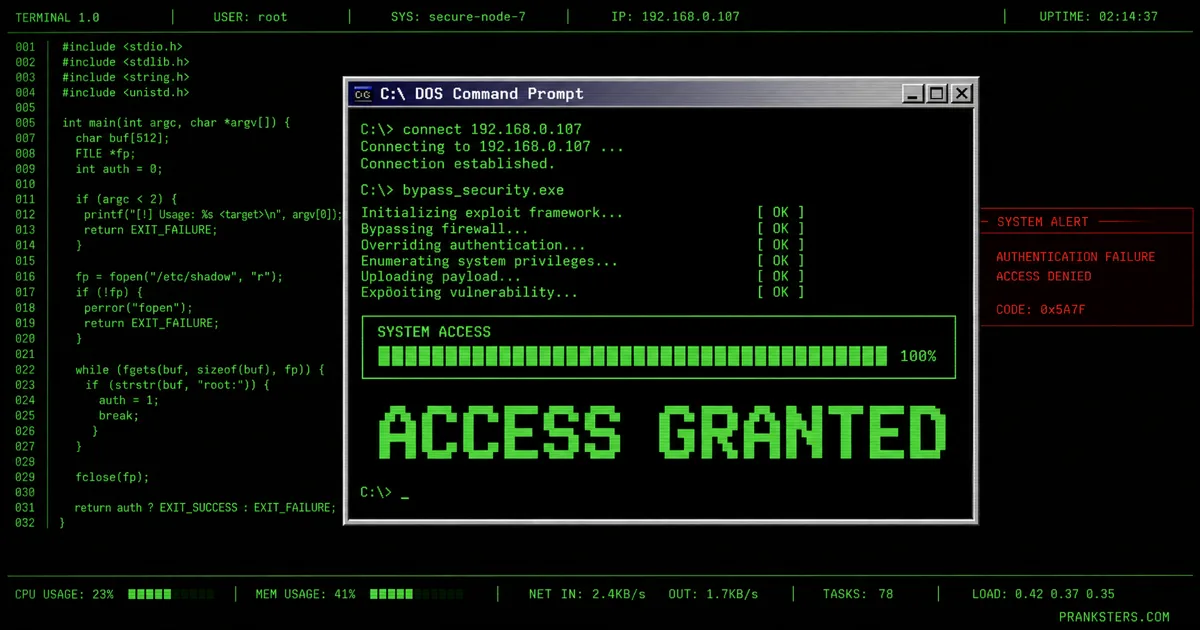
Then just mash the keyboard. F2 settings · F8 auto-type · F10 performance mode · Esc to exit.
For the best results, add this to the device's home screen — it opens with no address bar and no tabs, so the screen reads as a terminal rather than a browser.
How it works
- Hit Launch the Terminal and press any key — real-looking code appears several characters at a time, so your fingers look lightning-fast. The keys you actually press don’t matter; you can watch your audience instead of the screen.
- Pick a scenario (there are ten) or run an authored mission that scripts the whole break-in from first connection to final payload.
- Keep typing and Access Granted / Access Denied windows fire automatically, with cinematic system interruptions — traces, dropped links, firewall reroutes — in between.
- Press F10 for Performance Mode — every control disappears and the terminal fills the screen, so there’s nothing left to give away that it’s a website.
- Done? Press Esc. Everything vanishes instantly.
Ten scenarios to break into
Each scenario reskins the code, the target readout and the access windows to match a different “job” — so the story on screen fits whatever you’ve claimed you’re doing. Switch on the fly with Alt+1–0.
- Mail Relay Audit — SMTP headers and mailbox indexing
- Facebook Graph Session — social-graph traversal
- X Signal Intercept — timeline and DM sniffing
- Instagram Media Index — media-vault enumeration
- TikTok Edge Grid — edge-CDN token cracking
- WhatsApp Archive Bridge — encrypted-backup bridging
- Cloud Vault Recovery — password-vault “recovery”
- Wi-Fi Network Sweep — router and device sweep
- Smart Home Override — taking the lights and locks
- Satellite Uplink — the full movie-villain uplink
Prefer no script? Free Play just generates endless generic code with no story attached.
Authored missions
A mission runs a whole sequence for you, start to finish, so you can perform hands-free while it beats out connection → escalation → interruption → access. Three are built in:
- Social Account Sweep — hops account to account, “getting into” each one in turn.
- Lost Phone Recovery — the “I’ll just track your phone” bit, played straight.
- Corporate Network — the slow, tense enterprise break-in with escalating alerts.
Make it personal
In Settings, drop the target’s name, @handle, city and device into the Target Profile and the terminal starts naming them in its output and access windows. That single detail is what turns “that’s obviously a website” into “…hang on, how does it know that?” It stays entirely on your device — nothing is sent anywhere.
Six ways to tune it
Press F2 for the settings panel, split into six sections:
- Display Profile — five terminal colours (phosphor green, amber CRT, ice blue, monochrome, red alert), scanlines and CRT flicker on or off.
- Typing Engine — how many characters each keypress reveals, and an auto-type mode (F8) that types itself at a speed you set.
- Access Window Director — how often the Access Granted / Denied windows appear, and how aggressive the interruptions get.
- Authored Mission Sequences — pick and launch one of the scripted missions above.
- Local Target Profile — the name / handle / city / device personalisation.
- Local Source Override — paste your own text or code file to type out instead of the built-in source (handy for a very specific gag).
Performance & TV mode
F10 drops into Performance Mode: the HUD, toolbar and every button disappear, leaving pure fullscreen terminal — ideal on a TV, projector or during a recording where any on-screen chrome would break the illusion. F11 toggles true browser fullscreen on top. To vanish it, one press of Esc brings the controls back; a second exits completely.
Performer controls
The whole thing is riggable, so you can land the big moment exactly when you want it. The performer keys only fire while Alt is held — ordinary letters keep generating code the entire time.
- Alt+G force Access Granted · Alt+D force Access Denied
- Alt+T trigger a trace · Alt+L drop the connection · Alt+E next system interruption
- Alt+1–0 jump straight to any scenario · Alt+P pause the action
- Tap Shift three times fast to fire the next access window without reaching for Alt
- F2 settings · F8 auto-type · F10 Performance Mode · F11 fullscreen · Esc exit
Hacker Typer is a harmless visual prank for entertainment only. It does not perform any real hacking, does not access or damage any real systems, accounts or files, and does not teach real hacking techniques. All “code” is pre-written and purely cosmetic — every address and domain in it is a reserved test range. Nothing you type is stored or uploaded. Please use it kindly — never use it or its screenshots to threaten, deceive or extort anyone, or to claim you have actually compromised a device. Close it and the effect is gone. See what makes a good prank.
Hacker typer, typer hacking, hack typer — what to call it
People look for this thing under a hundred names and they all mean the same screen. Typer hacking and hacker typer are the two big ones, but it also gets searched as a hacker typer prank, a hack typer simulator, a hacker screen simulator, a fake hacker typer, a hacker typer game, or just hackertyper and hackertype run together. If you learned it as geek typer or a geek prank hacker screen, that is the same idea too — a full-screen terminal that spits out convincing code no matter which keys you hit.
The wording changes with where people plan to use it. Students search hacker typer unblocked and hacker simulator unblocked because they want something that loads on a school Chromebook with no install and no download. Gamers arrive from hacker typer roblox and hacker typer free fire looking for a screen to cut into a video. Others just want hacker prank websites or fake hacking prank sites in general. Whatever you typed to get here, this is the page — it runs in the browser, needs no account, and nothing is installed or stored.
Worth being clear on one thing people genuinely ask: is hacker typer real? No. Nothing here touches a real system. It is a visual effect and nothing more — the section above spells out exactly what it does and does not do.
Frequently asked questions
What is Hacker Typer?
Hacker Typer is a browser-based prank tool that displays realistic-looking code as you type randomly, making it look like you're hacking. It's purely visual entertainment. The concept was popularised by the original site hackertyper.net, created in 2011 by developer Duiker101.
Is Hacker Typer real? Does it actually hack anything?
No. Hacker Typer does not hack, access, scan, or connect to any real system, network, or device. The code you see is pre-written and simply displayed as you press keys — nothing is executed. It's a visual illusion, like a movie prop.
Is Hacker Typer unblocked? Does it work at school or work?
Usually, yes. Hacker Typer is a normal web page that runs entirely in your browser with no downloads, so it's typically accessible even on networks that block games or streaming. That said, school and workplace acceptable-use policies vary, so use good judgment about where and when you run it — and never use it to imply you've actually breached a system.
Can I get in trouble for using it?
The tool itself is harmless and legal. Trouble comes from how you use it — for example, using a fake "I'm in your system" screenshot to threaten, extort, or genuinely scare someone, or running it on company equipment where IT might treat it as a real incident. Keep it a friendly joke among people who'll get the laugh, and reveal the prank quickly.
How do I make it look more realistic?
Press F10 for Performance Mode to hide every control and fill the screen, type fast and confidently, and trigger the "Access Granted" window at the big moment. Recording? A dark room and a little dramatic music sell it completely.
Is there a mobile version?
It works on phones and tablets — just tap the terminal and type on the on-screen keyboard — but the effect is most convincing on a desktop or laptop where you can mash a full keyboard.
What's the difference between this and Geek Typer or hackertyper.com?
They're all "fake hacking" simulators built on the same idea. The classic hackertyper.net (2011) is the minimalist original — green text on one screen. Geek Typer and GeekPrank offer movie-style themed dashboards. Pranksters.com's Hacker Typer is our own separate build; we're not affiliated with those sites. We focus on a fast, clean experience with ten scenarios, authored missions and performer hotkeys.
Can I use it for streaming or content?
Absolutely. Creators use Hacker Typer as a background effect for skits, tutorials, parody "hacking" scenes and thumbnails. Hit Performance Mode, type away, and record your screen. Just be clear with your audience that it's a simulation for fun.
Want the technique rather than the tool? Read our guide to fake hacking pranks — how the screen actually works, where it lands, and where the line is.