

Browser History Export
The browser history export prank looks like a real backup app quietly exporting someone's browser history — then "emailing" it to every contact and "posting" it to their social accounts. The panic builds through a live progress screen with an escalating warning and a "cancel" button that fails, right up to a big fake "export complete." Tap the screen and it flips straight into a clear reveal: nothing was ever touched.
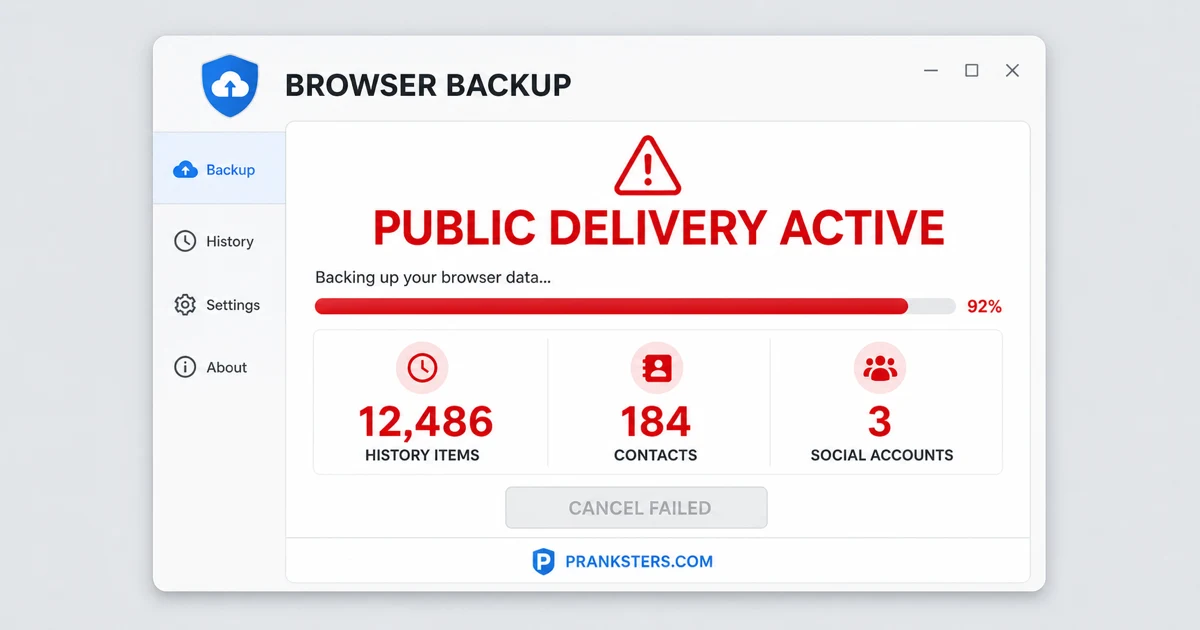
Press F11 for maximum realism. Tap or press Esc to exit.
For the best results, add this to the device's home screen — it then opens with no address bar, no tabs and no URL, so there is nothing left to give it away.
How to use the browser history export prank
- Tap Launch Full-Screen Prank above (or press F11 once it's running).
- Leave the device where your victim will find it. It'll look completely real.
- When they panic, tap the screen or press Esc to reveal it was a joke.
For laughs only. Nothing here installs, downloads or damages anything — it's all harmless CSS/JS in the browser. It's a staple of April Fools' Day pranks and works any day of the year. Just keep it kind — see what makes a good prank.
Frequently asked questions
Did this actually export or share my browser history?
No — nothing was read, exported, emailed or posted. Every name, contact and file count on screen is made up. It's a scripted animation running entirely in your browser tab.
Why does the cancel button fail?
That's part of the act — tapping cancel plays a scripted "delivery already started" message to build the panic. It doesn't actually cancel or continue anything, because nothing real was ever running.
How do I end the prank?
Tap or click anywhere once the "export completed" screen appears and it reveals the "Just a prank!" message straight away. You can also press Esc at any point to exit immediately.
Is my real data at risk if I use this?
No. This page never requests permissions, reads your actual history, or contacts anyone. It's pre-written text and numbers designed to look real for a few seconds. Browsers don't let a web page read your history at all — that's a hard boundary, not a setting.
Why does this prank land harder than a virus warning?
Because it threatens embarrassment rather than damage. A wiped drive is a practical problem; your browser history going to your contacts is a social one, and people react to that far faster. It also names a plausible mechanism instead of just flashing a scary word.
Are the contact names it shows real?
No — every name, address and file count on screen is invented and identical for everyone who loads the page. It has no access to your contacts, accounts or address book, so it cannot show anyone you actually know.
How do I set it up on someone?
Open the page on their device and go fullscreen, or add it to the home screen so there's no address bar. It runs on its own from there, and the escalation does the work — you don't need to be standing over them.
Can I get in trouble for using it?
The page is harmless and legal, but this one is genuinely uncomfortable for the person on the receiving end, because it implies something private is already public. Reveal it quickly rather than letting it build, and skip it for anyone likely to take it as a real breach.
Does it work on a phone?
Yes — the progress screen and reveal are built to work on a narrow display, and it arguably lands harder on a phone, since that's where people assume their private browsing actually lives.
What is the reveal like?
Deliberately unambiguous. One tap after the "export completed" screen flips it straight to a clear "Just a prank!" message, so nobody is left genuinely believing their data went anywhere.